
MP4 Looper Online Free (2026): Seamless Video Loops in Your Browser

Product teams ship a 360° spin that must play forever on a landing page. Teachers need a three-second UI gesture that repeats until students click next. Social designers want a silent background plate that never “ends” mid-scroll. An MP4 looper solves that job: take a short clip, repeat it N times (or craft a seamless cycle), and export one file players can scrub without playlist hacks. This guide shows how to build loops online free, avoid ugly seams, and when GIF is the wrong container.
Why “mp4 looper” is a real job-to-be-done
| Scenario | Loop goal | Failure mode |
|---|---|---|
| Product 360 / turntable | Endless spin | Jump cut at 0° |
| SaaS UI demo | Gesture repeats | Cursor teleports |
| Story / Reels bg | Mood holds | Hard flash every 2s |
| Dance practice | Phrase on repeat | Music out of phase |
| Digital signage | Clip runs all day | File too huge after 100× |
Native HTML video can set loop in the player (MDN <video>), but many chat apps, email clients, and ad units ignore player flags — they need a file that already contains repeated frames. That is the MP4 looper intent. Size constraints still apply when you email the result (Gmail attachments).
Practical rule: If the host supports
loopattributes and progressive playback, a seamless single cycle is enough. If the host is a dumb autoplay tile, bake repeats into the file.
Image: continuous motion sources make cleaner loops.
Method A: Loop with CutFast (browser MP4 looper)
Open CutFast Loop or the format-specific loop-mp4 entry. Load a short master (often 1–8 seconds), choose how many times to repeat or seamless mode if offered, preview the join, export one MP4.
Step-by-step
- Trim to the phrase with trim. Loops fail when the in/out points sit mid-motion without matching velocity.
- Open loop / loop-mp4.
- Set repeat count (e.g., 3–5 for demos; longer only if the player cannot loop natively).
- Preview the seam — eyes catch teleporting hands, mismatched shadows, audio pops.
- Export. If you need a lightweight sticker instead of video, convert a short seamless cycle with video-to-gif after the loop is perfect (or loop a GIF-sized segment only).
Practical rule: Perfect the single cycle before multiplying it. Ten bad seams are worse than one clean loop played with
loop=true.
Seamless checklist
- First and last frames nearly identical or motion continuous across the cut
- Audio: silent, crossfaded, or intentionally rhythmic on the bar
- Exposure / white balance stable (flicker becomes a strobe when looped)
- No fade-to-black at the end unless you also fade-from-black at the start
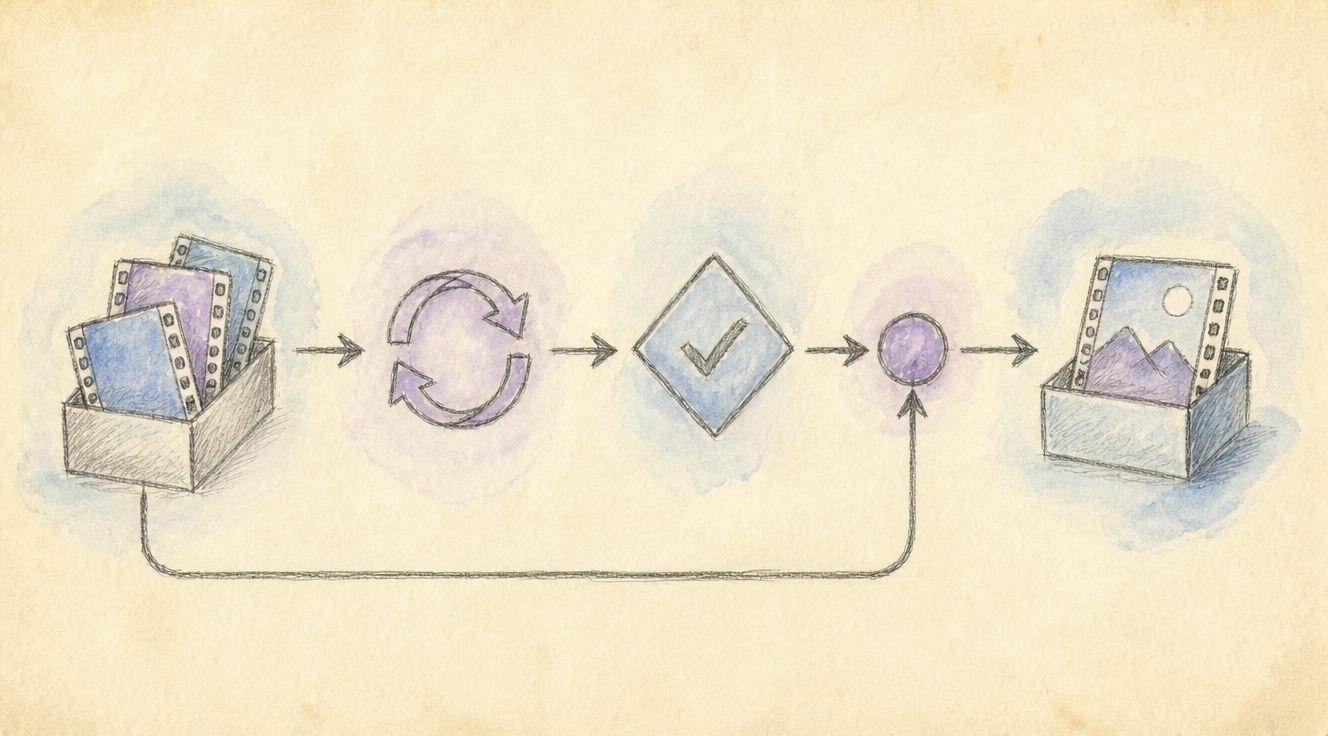
Image: set repeats, inspect the seam, export one file.
Method B: Alternatives (player loop, NLE, GIF, code)
1) Player-level loop only
Web pages can use loop on media elements (MDN media). Great for owned sites; unreliable in third-party feeds.
2) Desktop NLE + export
Premiere / DaVinci can nest and loop sequences with frame accuracy. Best for brand films; slower for a single product spin due tonight.
3) GIF instead of MP4
GIF still wins in some CMS and sticker UIs, but colors, size, and quality suffer. Prefer MP4 for photo-real loops; use video-to-gif only when the destination demands GIF.
4) CSS / canvas animation
Developers sometimes avoid video entirely. That is a different stack — see MDN media and graphics docs — and not a substitute when marketing already delivered an MP4.
| Approach | Seamless control | File size | Best for |
|---|---|---|---|
| loop / loop-mp4 | High (baked) | Grows with N | Dumb players, chat, ads |
HTML loop | Infinite | Small (1 cycle) | Your own site |
| Desktop NLE | Highest | Configurable | Pro finish |
| GIF | Medium | Often large | Stickers, legacy CMS |
Practical rule: Bake loops for places you do not control the player; single cycle + player loop for places you do.
Comparison tables: counts, formats, pipelines
How many repeats?
| Destination | Suggested strategy |
|---|---|
| Landing page you control | 1 seamless cycle + HTML loop |
| Instagram/TikTok style feed | 1–2 strong cycles; platform may loop anyway |
| Email / chat preview | 2–4 baked repeats, then compress-video |
| Kiosk / signage | Longer baked loop or player loop with watchdog |
Format choice
| Format | Pros | Cons |
|---|---|---|
| MP4 (H.264) | Compatible, small | Needs video tag / player |
| GIF | Ubiquitous in old CMS | Banding, heavy files |
| WebM | Efficient | Spotty in some enterprise apps |
Convert containers with convert when a partner rejects your export.
Advanced tips for loops that disappear into the background
- Shoot loop-friendly motion — constant angular speed on turntables; avoid one-way pans that jump.
- Cut on the beat for music-driven loops; cut on motion apex for silent product spins.
- Mute or redesign audio — a hard audio loop pop ruins premium feel.
- Stabilize shaky handheld before looping; shake becomes a rhythm of its own.
- Watch file size — 20× a 15s 4K clip is a delivery disaster; trim first, loop second, compress third.
- Color grade once on the cycle, then loop — do not grade after 10× or render times explode.
- Test in the real host (Notion, Webflow, LINE, Slack) — autoplay/mute policies differ.
Loudness if audio remains: LUFS, ITU. Browser behavior: MDN video, MDN Media. Email size: Gmail.
Practical rule: Seam visibility dies when motion and luminance are continuous at the cut — polish the join, not the repeat count.

Image: continuous motion and stable exposure hide the join.
Frequently asked questions
What is an MP4 looper?
A tool or workflow that repeats a video segment and exports a single MP4 containing multiple cycles (or prepares a seamless cycle for player-level looping).
How do I avoid a visible jump?
Match first/last frames or keep velocity continuous; trim carefully with trim; preview the seam at full screen.
Loop as MP4 or convert to GIF?
Default to MP4 for quality and size. Use video-to-gif only when the destination requires GIF stickers or legacy embeds.
Will looping create a huge file?
Yes if you bake dozens of long cycles. Prefer short masters, modest N, then compress-video.
Can I loop only part of a long video?
Yes — trim the phrase first, then loop that segment. Do not loop a 10-minute lecture end-to-end.
Is browser looping private?
Choose tools that process locally when demos include unreleased UI or faces. Verify current privacy notes for compliance.
Loop it cleanly, then ship
An MP4 looper is less about magic and more about join quality. Trim to a continuous phrase, loop with loop or loop-mp4, preview the seam, and compress only after the cycle feels invisible. For stickers, branch to video-to-gif; for delivery limits, use compress-video on cutfa.st.
— CutFast Team
More in this series
- MP4 to MP3 Online for LINE & Commute Listening (2026 Guide)
- Boost MP4 Volume Online Free (2026): Fix Quiet Videos in Your Browser
- How to Remove Background Noise from Video: 3 Methods Compared + CutFast AI Guide
- Extract Audio From Video Online Free (2026): One-Click to MP3/WAV, No Upload, No Watermark
- How to Convert WebM to MP4 Free (2026): No Upload
View all 26 articles in Format Conversion & Compression →